LRA Motor Tactile Effect Programming

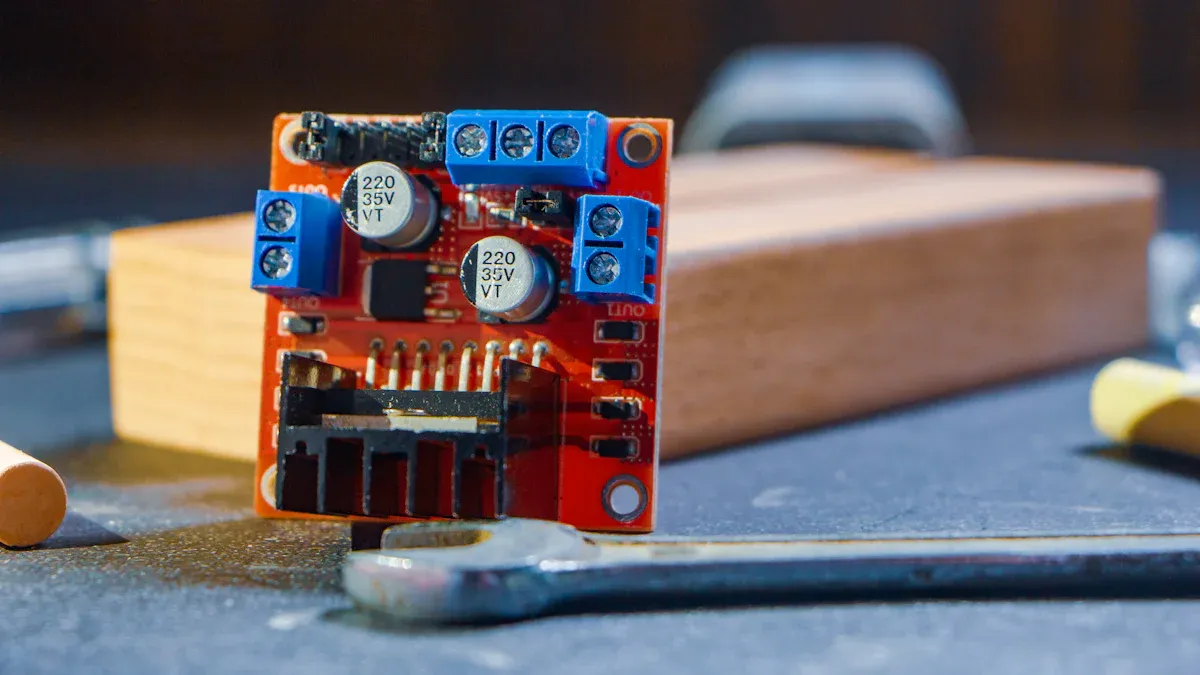
You can create a powerful tactile effect when you use an LRA in your project. Many high-end devices now rely on LRA motors for haptic feedback because they deliver precise and nuanced sensations. INEED’s LRA Electrical Motor LRA2024A-1088F stands out for its reliability and performance.
Feature | LRA2024A-1088F | MAG1020BEL40 |
|---|---|---|
Tested Lifespan (cycles) | 1,000,000+ | 1,200,000 |
Defect Rate | < 1% | Very low |
Choosing a high-quality motor like this helps you achieve consistent results in your designs.
Key Takeaways
Choose high-quality LRA motors like INEED's LRA2024A-1088F for reliable tactile feedback in your projects.
Use the DRV2605L driver IC for easy control of LRA motors with Arduino, enabling precise haptic effects.
Test and optimize your vibration output using tools like tachometers and laser vibrometers to ensure accurate feedback.
Follow best practices for assembly and maintenance to extend the lifespan and performance of your LRA motors.
LRA Motor Basics and Tactile Effect
What Is an LRA Motor
You can find LRA motors in many modern devices that need precise tactile effect. An LRA, or linear resonant actuator, uses a spring-mass system to create vibration. The motor operates at a resonant frequency, which means it vibrates efficiently and delivers clear feedback. When you send a pulse signal to the driver chip, it converts the signal into AC current. This creates an alternating magnetic field that moves the mass. The resonance amplifies the vibration, and the driver chip can stop the motion quickly with a reverse pulse. You get fast, controlled tactile effect every time.
Principle | Description |
|---|---|
Resonant Working Mechanism | LRA motors operate near a fixed mechanical resonant frequency, achieving higher vibration efficiency and clearer tactile effect. |
Spring-Mass System | Forced vibration at the resonant frequency, similar to pushing a swing. |
Drive Signal Input | A pulse signal triggers the LRA driver chip, usually at 150–250 Hz. |
Electromagnetic Force Generation | The driver chip creates an alternating magnetic field that generates thrust. |
Resonance Amplification | The mass and spring system enters resonance when the drive frequency matches the system’s natural frequency. |
Precise Braking | The driver chip sends a reverse pulse to quickly stop vibration within 10–15 ms. |
Tactile Effect Applications
You experience tactile effect in many ways. LRA motors deliver reminders for incoming calls, alarms, and navigational directions. You feel interactive feedback when you unlock devices, press virtual buttons, or use fingerprint recognition. Gaming feedback uses vibration motors to enhance your experience during mobile games.
Application Type | Description |
|---|---|
Reminders | Incoming calls, messages, alarms, hazard alarms, timers, navigational directions reminders. |
Interactive Feedback | Unlocking, virtual buttons, keyboard input, fingerprint recognition, pressure sensing. |
Gaming Feedback | Vibration feedback in mobile games for enhanced user experience. |
LRA motors use less energy than ERM actuators. You get efficient tactile effect and longer battery life.
LRA motors are more efficient than ERM actuators.
ERM actuators consume more power compared to LRA motors.
Your choice depends on application needs and cost.
INEED LRA Product Overview
INEED offers advanced LRA motors for reliable tactile effect. The LRA Electrical Motor LRA2024A-1088F stands out with a wide frequency range from 30Hz to 500Hz. You get strong vibration, minimal maintenance, and easy integration. The sealed design ensures durability. Linear vibration motors from INEED also provide fast response and high energy efficiency. You can use these motors in thin wearables, rehabilitation gloves, and sensory feedback systems. The latest advancements allow you to achieve precise and localized tactile effect in many applications.
Features | LRA2024A-1088F | MAG1020BEL40 |
|---|---|---|
Core Technology | LRA (spring & mass) | Magnetic levitation |
Frequency Range | 30Hz–500Hz | 50Hz–200Hz |
Response Time (Rise) | 55ms | 35ms |
Lifespan (cycles) | 1 million+ | 1.2 million |
Maintenance Needs | Minimal (sealed design) | Virtually none (frictionless) |
Vibration Strength | 1.2 Grms (minimum) | Up to 2.0±0.5Gp-p |
Integration Flexibility | Compact, easy to control | Compatible with LRA drivers |
You can trust INEED’s vibration motors for consistent tactile effect and high performance in your projects.
Hardware Setup for LRA Vibration
Required Components and INEED Solutions
You need several essential components to set up a reliable tactile system with linear resonant actuators. Start with a high-quality lra motor, such as the INEED LRA2024A-1088F. This motor gives you precise control over vibration frequency and amplitude. You also need a driver IC to generate the correct AC signal for the motor. The drv2605 IC is a popular choice because it supports i²c communication and works well with arduino boards. For more advanced projects, you can consider awinic drivers, which offer flexible control for multiple motors.
Component | Purpose | INEED Recommendation |
|---|---|---|
LRA Motor | Generates tactile feedback | LRA2024A-1088F |
Driver IC | Controls vibration patterns | DRV2605L, AW86223, AW86927 |
Microcontroller | Sends commands to driver IC | Arduino, STM32 |
Power Supply | Provides stable voltage | External regulated supply |
Mounting Accessories | Secures motor and absorbs excess vibration | Damping pads, recessed pockets |
Wiring | Connects motor and driver IC | Flexible wires, solder joints |
INEED offers technical support and quality control for all vibration motors. You can request free samples for prototyping and get help with custom solutions. The company’s expertise ensures that your vibromotors work efficiently in wearable devices, gaming controllers, and medical equipment.
Driver IC Selection (DRV2605L, awinic, etc.)
You must select the right driver IC to achieve optimal haptic feedback. The drv2605 ic from Texas Instruments is widely used for lra motors. It supports i²c communication, which allows you to send haptic patterns from your microcontroller. This IC can store multiple vibration motors profiles and lets you adjust amplitude and frequency for each effect. If you need more customization, awinic drivers like AW86223 and AW86927 provide advanced control features. These chips work well with both lra and erm motors, giving you flexibility for different applications.
When you use arduino, you can connect the drv2605 ic directly to your board. You send commands over i²c to trigger specific vibration patterns. This setup makes it easy to experiment with different haptic effects and fine-tune your system for the best user experience.
Tip: Always check the compatibility between your driver IC and the lra motor. INEED’s technical team can help you select the best combination for your project.
Assembly Tips for INEED LRA Motors
You can improve the performance and durability of your linear resonant actuators by following proven assembly practices. Waterproofing is important for wearable devices. Use a high-viscosity potting compound to seal the motor and protect it from moisture. For mounting, place the motor in recessed pockets inside the housing. This method enhances vibration coupling and reduces unwanted noise. Secure mounting prevents mechanical chatter and keeps feedback consistent.
Wiring also plays a key role. Use flexible wires for connections and stabilize solder joints to avoid damage. Cover bare wires for safety. If you use multiple motors, connect them to an external power source to prevent overload. Monitor vibration patterns regularly to catch issues early. Damping materials help absorb excess vibrations and maintain efficiency.
Note: INEED’s quality control process includes lifetime testing, material inspection, and outgoing control. You can rely on their motors for long-lasting performance in demanding environments.
By following these steps, you set up a robust system that delivers precise haptic feedback. You get reliable vibration motors that enhance user interaction in your devices.
Programming Haptic Effects
Code Initialization and Libraries
You can start programming haptic effects by setting up your development environment. First, connect your LRA motor to a microcontroller, such as Arduino. Use a compatible haptic motor driver, like the DRV2605L, to control the motor. The DRV2605L supports I²C communication, which makes it easy to send commands from your microcontroller.
You need a library to simplify your code. Two popular libraries work well with INEED LRA motors and haptic motor drivers:
Library Name | Description | Compatibility |
|---|---|---|
A library for easy use of the DRV2605L chip with Arduino. | Compatible with LRA and ERM motors. | |
Adafruit DRV2605L Haptic Controller Library | Supports I2C communication and various haptic effects. | Compatible with LRA motors and others. |
You can install these libraries through the Arduino Library Manager. They help you send commands to the haptic motor driver and create different haptic vibration effects. You do not need to write low-level code for the driver chip. This saves time and reduces errors.
Tip: Always check the wiring and connections before uploading your code. Good wiring ensures stable communication between your microcontroller and the haptic motor driver.
Creating Tactile Effect Patterns
You can create many tactile effect patterns using LRA motors. Start by initializing the library in your Arduino sketch. Then, select the effect you want to use. Each effect has a unique vibration frequency and amplitude. You can choose from short pulses, long buzzes, or complex haptic patterns.
Here is a simple example using the Adafruit DRV2605L library:
#include <Wire.h>
#include <Adafruit_DRV2605.h>

Adafruit_DRV2605 drv;

void setup() {
  drv.begin();
  drv.selectLibrary(1); // Use LRA library
  drv.setMode(DRV2605_MODE_INTTRIG); // Internal trigger mode
}

void loop() {
  drv.setWaveform(0, 47); // Select effect 47 (strong click)
  drv.setWaveform(1, 0);  // End of sequence
  drv.go();               // Play the effect
  delay(1000);            // Wait 1 second
}
You can change the effect number to try different haptic vibration patterns. The library supports both LRA and eccentric rotating mass motors. You can also adjust the amplitude for each effect. This gives you control over the strength and feel of the feedback.
If you want to use ERM motors, you can follow similar steps. Wiring ERM motors with Arduino works with the same libraries, but you need to select the ERM library in your code.
Note: INEED LRA motors work well with these libraries and haptic motor drivers. You get reliable performance and consistent tactile effect.
Advanced Haptic Sequencing
You can build advanced haptic sequences for more complex feedback. For example, you can combine multiple effects to create a pattern that matches a game event or a notification. Some open-source hardware toolkits support the design of spatialized vibrotactile feedback systems. These toolkits let you connect several linear resonant actuators in a chain-connection method. This approach helps you scale your system and create expressive feedback.
A software GUI editor can help you design and test vibration patterns visually. You can drag and drop effects, set timing, and preview the result. Technical evaluations, such as latency and bandwidth tests, ensure your system responds quickly and accurately.
Here are some strategies for scaling tactile effect programming:
Contribution | Description |
|---|---|
Supports the design of spatialized vibrotactile feedback systems. | |
Chain-connection method | Addresses the gap between system scalability and feedback expressivity. |
Software GUI editor | Enables intuitive authoring of spatial vibration patterns. |
Technical evaluations | Includes latency, bandwidth, vibration characteristics, etc. |
Case studies and usability study | Demonstrates the toolkit's usefulness and usability. |
You can use these methods to create immersive experiences in gaming, wearables, or medical devices. INEED provides vibromotor resources and technical support to help you implement these solutions. You can experiment with different haptic patterns and optimize your system for the best user experience.
Remember: Always test your vibration motors in real devices. Adjust the vibration frequency and amplitude to match your application needs.
Testing and Optimizing Vibration Output
Effect Verification Methods
You need to verify the vibration output of your lra system to ensure accurate tactile feedback. Start by measuring vibration frequency and amplitude with the right tools. These instruments help you check if your haptic motor drivers deliver the expected results. Use the table below to see which tool fits each measurement:
Tool | Function |
|---|---|
Tachometers | Measure the speed of the motor's rotation. |
Laser Doppler Vibrometers | Provide precise speed readings of motor components. |
Encoders | Monitor motor speed and assess performance efficiency. |
You can use these tools to test both linear resonant actuators and eccentric rotating mass motors. If you use arduino, you can connect sensors to monitor changes in vibration motors during operation. This approach helps you fine-tune your haptic patterns for the best user experience.
Debugging and Consistency
You should check your wiring and connections when you set up your haptic motor driver. Faulty connections can cause inconsistent vibration or weak feedback. If you use i²c communication, make sure your microcontroller and haptic motor drivers communicate without errors. When you test wiring erm motors with arduino, always confirm the signal path and power supply. Adjust the control code to match the vibration frequency and amplitude you want. Try different haptic patterns to see how your system responds. If you notice any issues, review your vibromotor resources and update your code or hardware as needed.
Tip: Consistent testing helps you catch problems early and keeps your tactile effects reliable.
Best Practices for INEED LRA Motors
You can achieve the best results by following proven practices for INEED lra motors. INEED sets strict standards for every motor produced. The team matches impedance for each unit to ensure consistent performance across production batches. Advanced testing equipment and quality control protocols verify that every motor meets its specifications. You should always use high-quality haptic motor drivers and follow recommended assembly steps. Regularly inspect your motors for wear and keep your system clean. This approach extends the life of your vibromotors and keeps your tactile feedback strong.
Note: Reliable vibration output depends on good design, careful assembly, and ongoing maintenance.
By following these steps, you can optimize your vibration system and deliver precise, engaging tactile effects in your devices.
You can program tactile effects with LRA motors by following clear steps. Start with quality hardware, like INEED’s LRA motors, and use reliable drivers and libraries. Test and adjust your patterns for the best results. INEED’s motors give you high vibration accuracy, long lifespan, and energy efficiency:
Feature | INEED's LRA Motors | Older Motor Technologies |
|---|---|---|
Vibration Accuracy | High | Moderate |
Energy Efficiency | High | Low |
Lifespan | Longer | Shorter |
Try new haptic patterns and see how they improve user satisfaction. Explore INEED’s technical resources for advanced projects.
FAQ
How do you choose the right LRA motor for your project?
You should consider vibration strength, frequency range, size, and durability. INEED’s LRA2024A-1088F offers a wide frequency range and strong vibration. Review your device’s requirements and compare specifications for the best fit.
Can you use INEED LRA motors with Arduino boards?
Yes, you can connect INEED LRA motors to Arduino using a compatible driver IC like DRV2605L.
Tip: Use the Adafruit DRV2605L library for easy integration and reliable haptic control.
What driver ICs work best with INEED LRA motors?
Driver IC | Features |
|---|---|
DRV2605L | I²C, haptic library |
AW86223 | Advanced control |
AW86927 | Flexible patterns |
You get optimal performance with these ICs.
How do you test vibration output for accuracy?
You can use tachometers, laser vibrometers, or encoders to measure vibration frequency and amplitude.
Always verify your setup with real devices to ensure consistent tactile feedback.
See Also
LRA Vibration Motors: Key Elements Driving Today's Haptic Feedback
Techniques to Enhance LRA Motors for Vibrating Designs
2024LRA Transforms Haptic Feedback, Elevating User Engagement
Get Custom Micro DC Motors from
INEED Motors!
Leading Brand in Vibration Motor Manufacturing Industry